Digital Checklist Software Built for Industrial Maintenance Execution
Innovapptive's digital checklist software captures inspections, routine checks and safety compliance at the asset, then turns what the check finds into maintenance action. A failed reading becomes a tracked work order, not a filed form. Checks run on mobile and offline, and every result writes back to SAP or IBM Maximo through RapidSync.
Standardize inspections so every routine check, safety inspection and equipment reading runs the same way on every shift
Close the loop so a flagged issue becomes a tracked work order with the right asset, priority and evidence attached
Frost & Sullivan 2026 Company of the Year • Frost Radar Leader, Connected Worker Platform • 50+ ERP & EHS connectors
RapidSync™ · Offline
Full execution with zero connectivity
AI Author
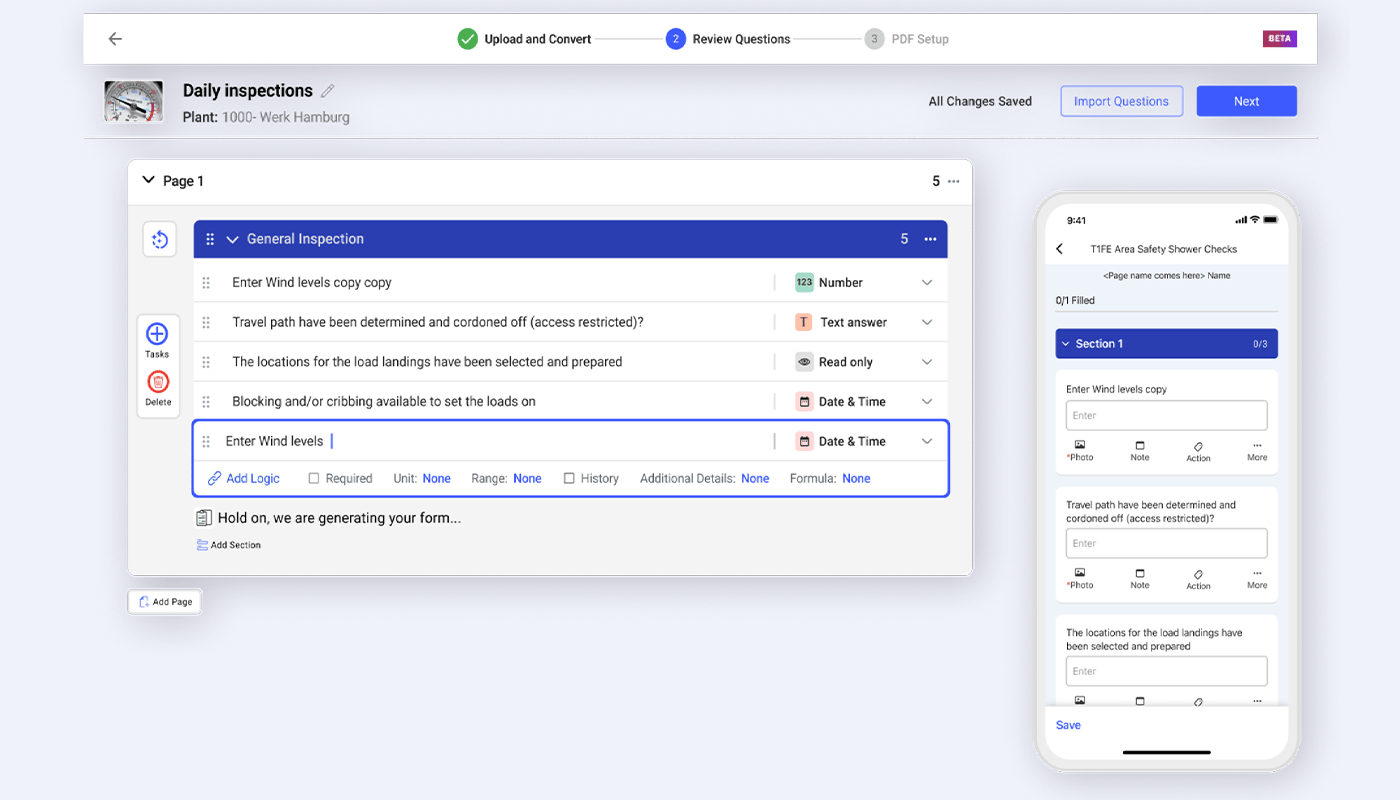
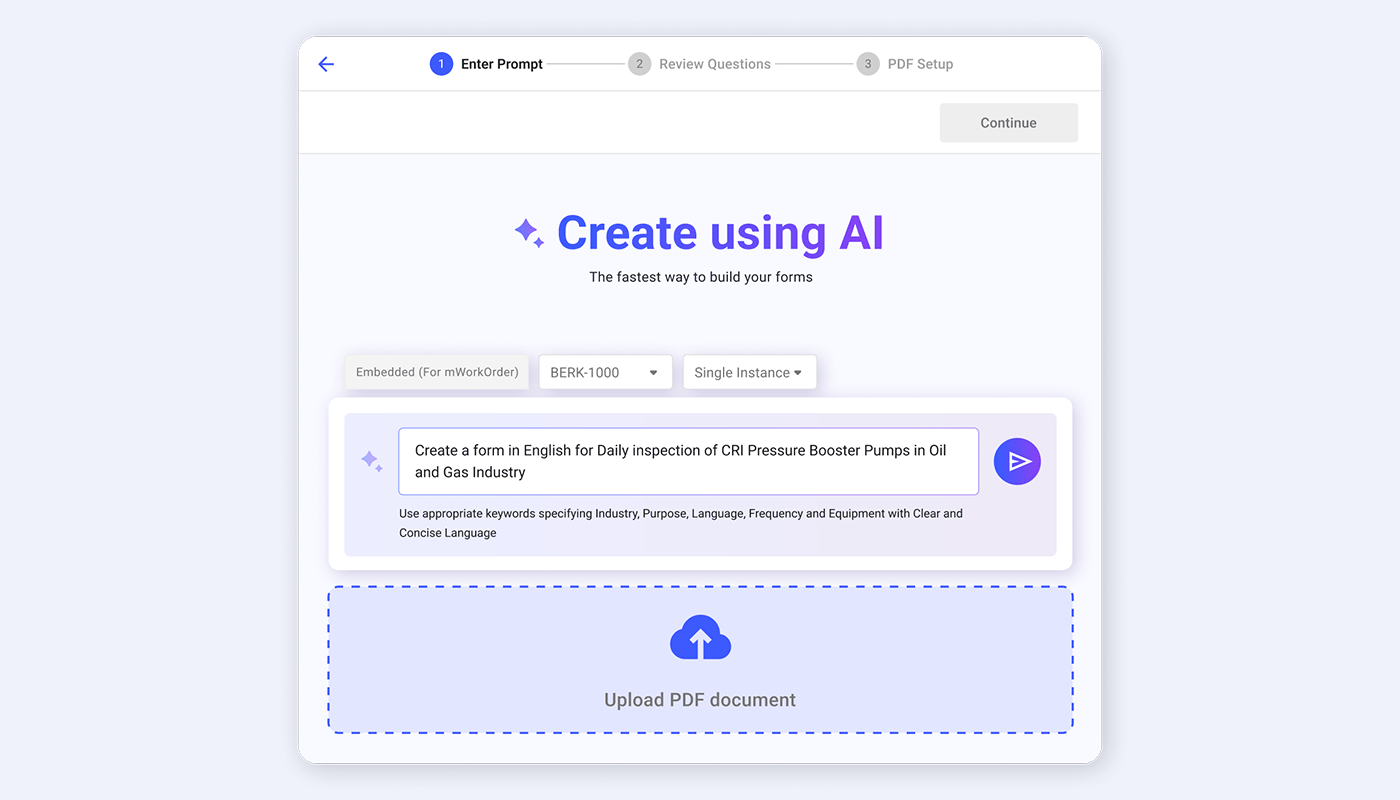
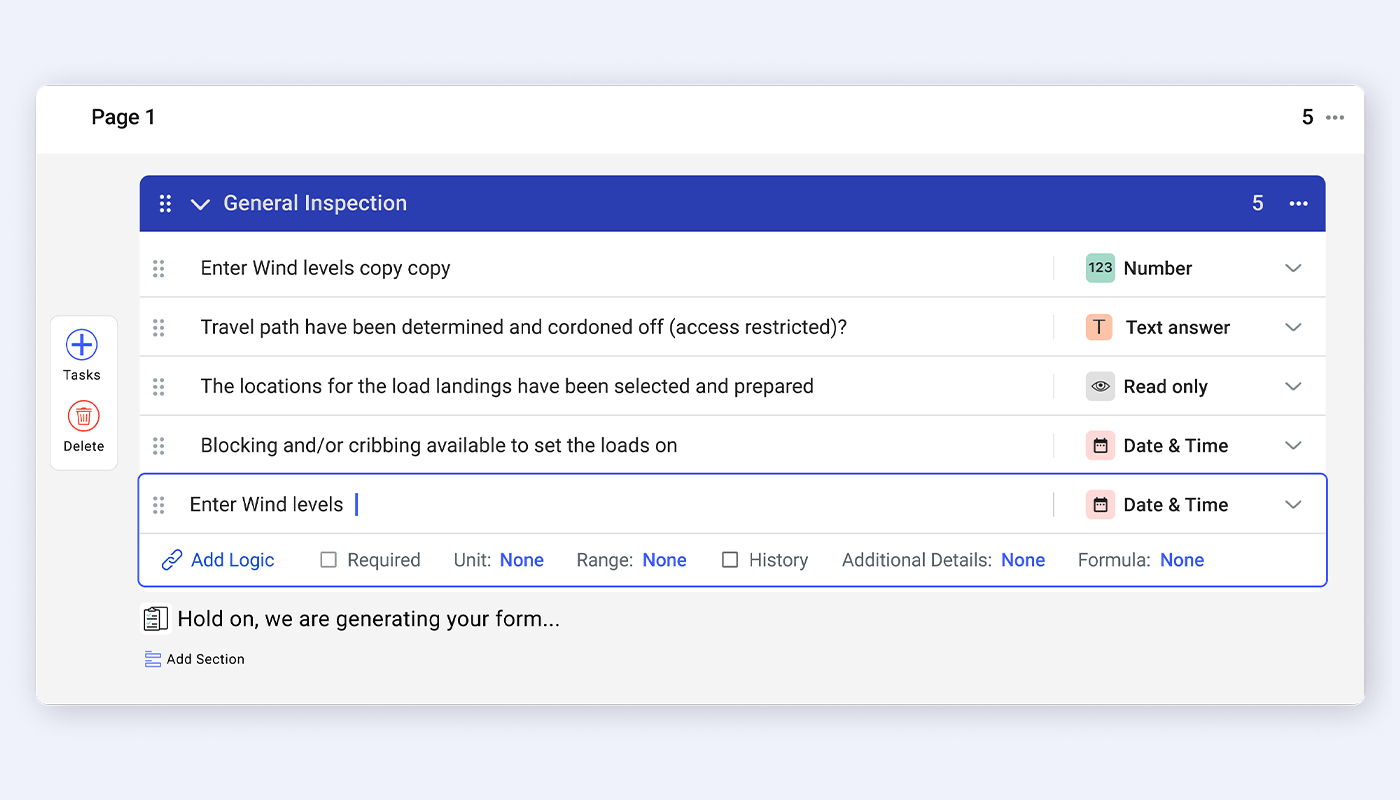
Convert paper forms, PDFs and Excel files into structured, mobile-ready checklists.
Trusted by industry leaders across 50+ countries
Product Capabilities
Digital Checklist App Capabilities Built for the Point of Work
Each capability below moves a check from capture to resolution. Together they connect authoring, mobile execution, scheduling and issue action in one digital checklist system, so a completed inspection ends in tracked work rather than a filed form.
AI Author · Dynamic Checklist Builder
Build a digital checklist in minutes, no coding required.
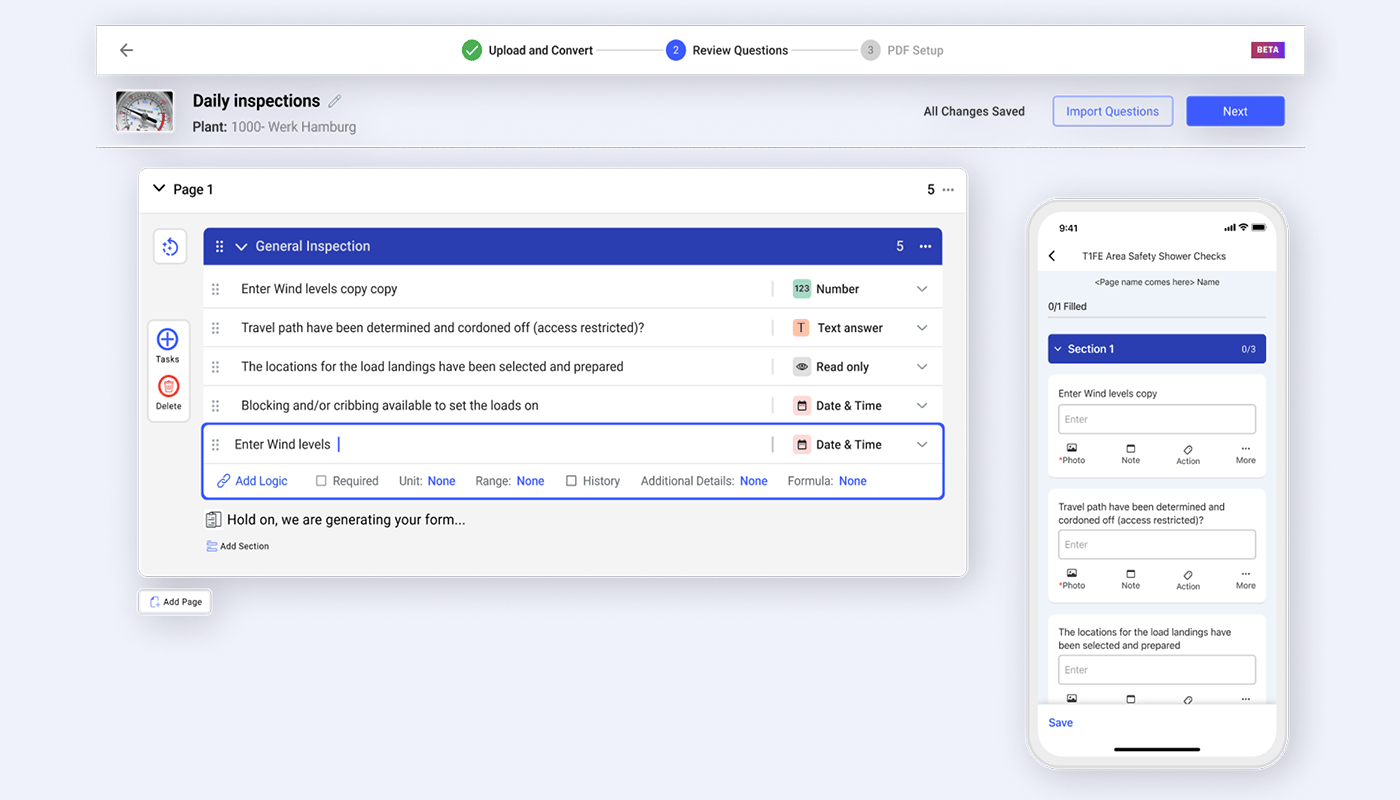
Design and automate SOPs and digital maintenance checklists with AI Author. Convert paper forms, PDFs and Excel files into structured, mobile-ready checklists, then add conditional logic so the checklist guides users through the right steps based on their responses. Create, publish and assign digital inspection forms without waiting on IT.
Paper, PDF & Excel Import
Conditional If/Then Logic
Required Responses
Sequenced Assignment
60 seconds to create, publish and assign a checklist
Equip field technicians with intuitive, mobile-first checklists built for real-world use. Capture photos, videos, readings and notes at the asset, even offline. Results sync with enterprise systems when connectivity returns, so work moves from the field to the back office without a gap.
Photos, Video & Notes
Full Offline Capture
Real-Time Enterprise Sync
Field-to-Back-Office Flow
Under 5 minutesfrom field capture to the system of record
Schedule routine inspections by time, condition or asset.
Manage routine inspections and safety compliance checklists with AI-powered scheduling. Digital checklist systems for routine inspections trigger by time, equipment status or a real-time alert, so compliance checks and preventive inspections run on plan. Actionable insights help prevent accidents and incidents before they happen.
Time-Based Scheduling
Condition & Status Triggers
Real-Time Alerts
Compliance Insights
90%schedule compliance on routine and safety checks
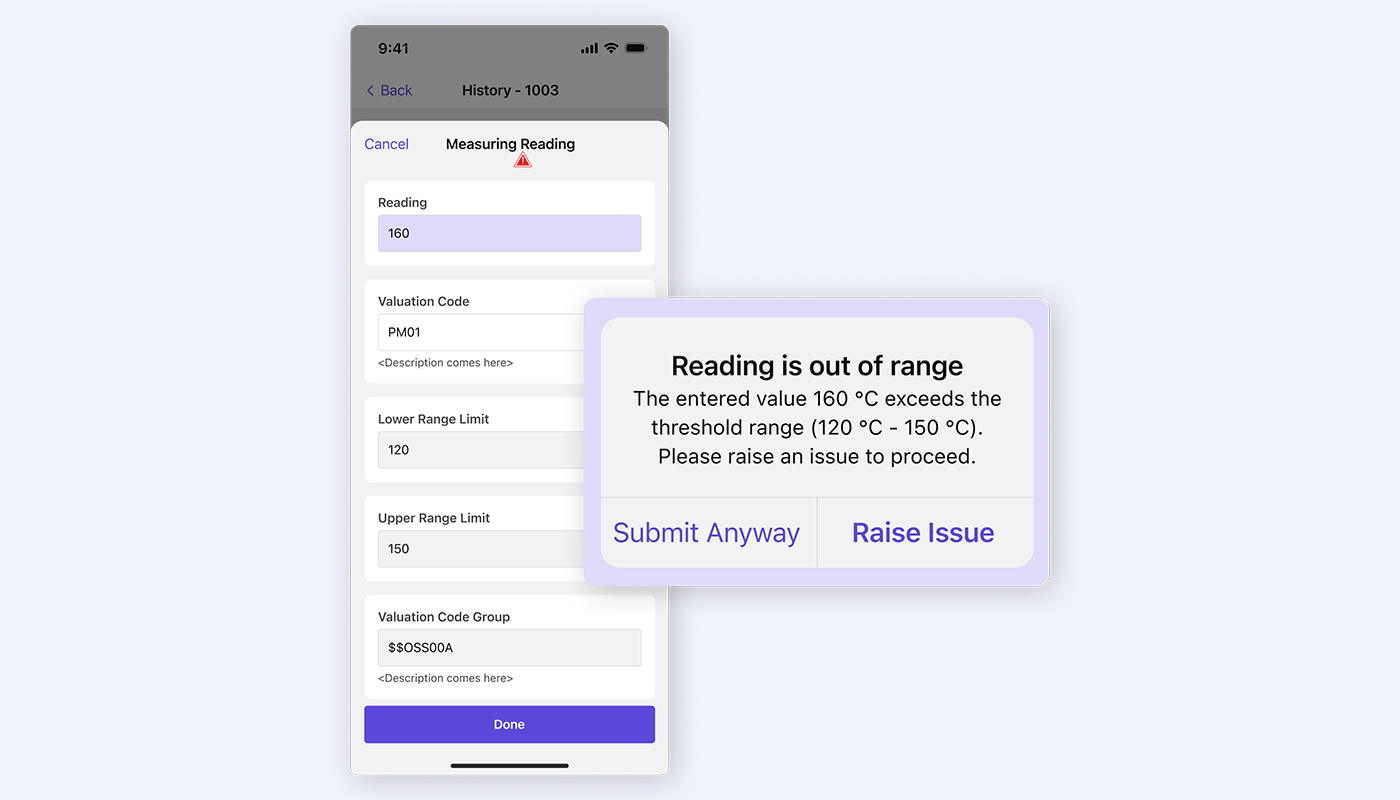
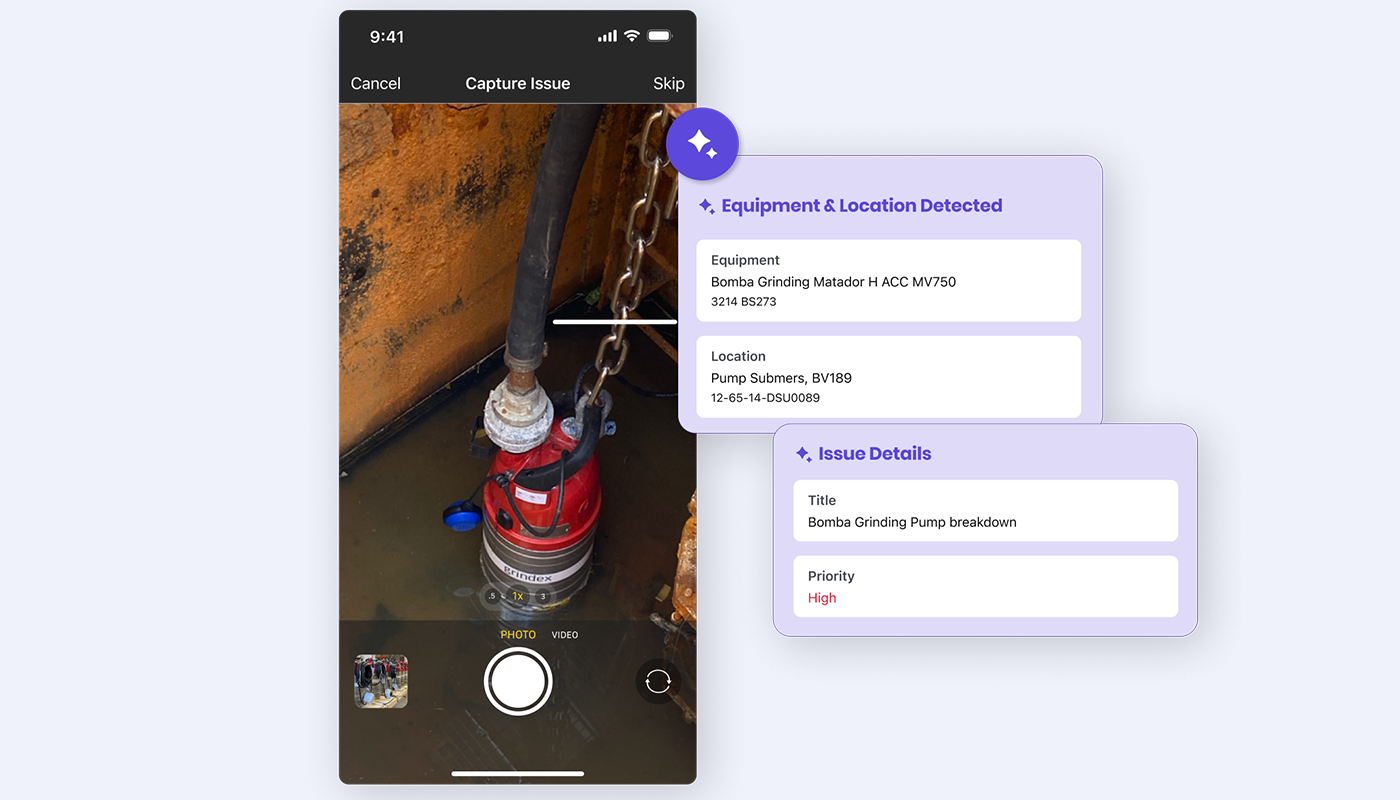
Capture issues instantly from the checklist. AI and condition-based monitoring flag equipment anomalies and errors, then trigger corrective actions and auto-generate a work order the moment an issue is detected. Audit-ready reports are generated from checklist data for continuous compliance and plant safety.
Make form and workflow changes on the fly without involving IT, even offline. Keep checklists aligned with changing business conditions and regulatory norms, and push updates fast when a process or an emergency demands it. Control stays with the team that owns the work.
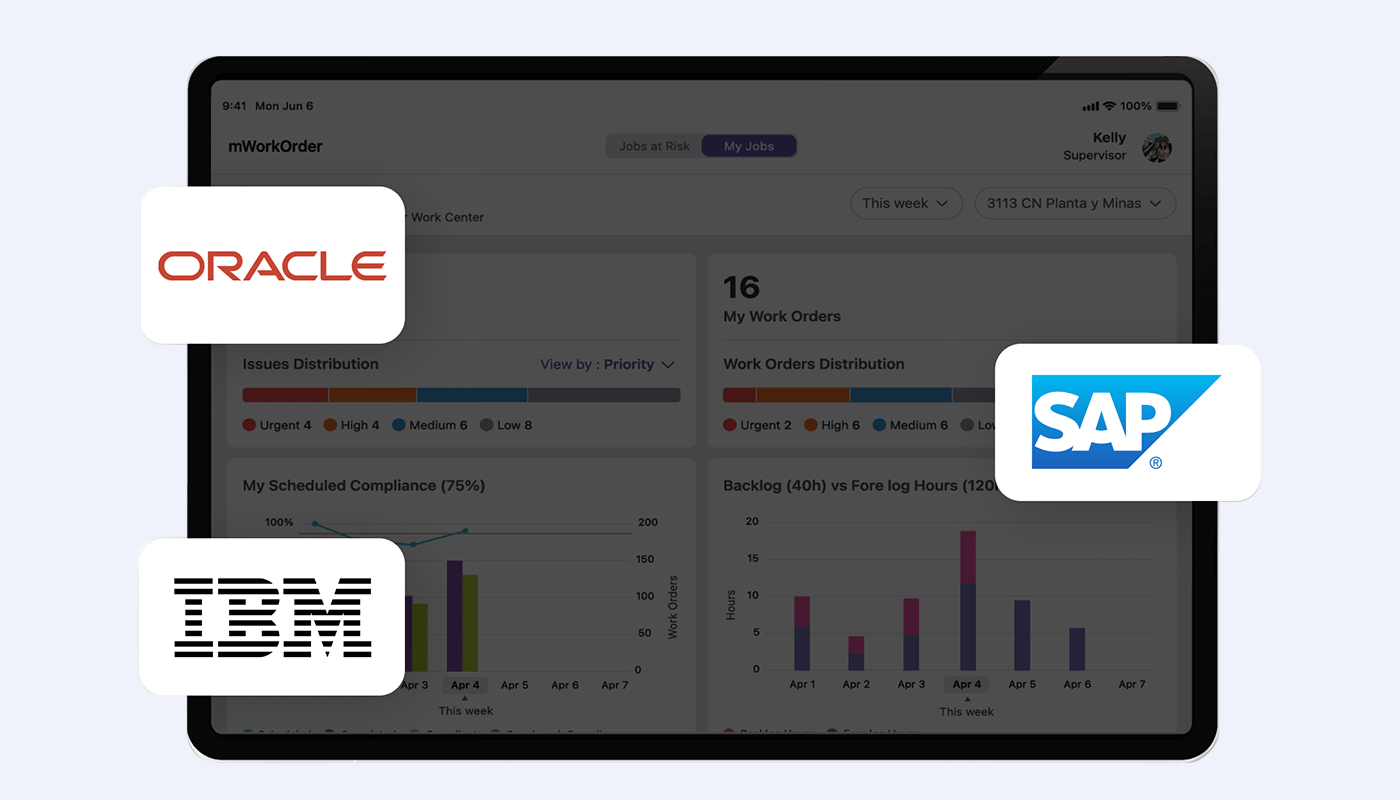
Connect digital checklists to SAP, IBM Maximo and Oracle, plus historians, sensors and alarms. Prebuilt integrations sync checklist data with the systems you already run, and automate triggers based on real-time data anomalies. RapidSync reconciles the field and the ERP in under five minutes, so nothing is rekeyed at shift end.
See How a Digital Checklist Becomes Connected Maintenance Work
Explore AI authoring, offline capture, routine scheduling, issue-to-work-order action, form control and ERP write-back in one connected checklist system.
How Innovapptive's Digital Checklist Software Closes the Loop From Signal to Action
Five connected steps turn a routine check into completed, tracked work. The checklist captures the signal, AI structures the issue, the field executes on mobile, and the resolution posts back to the ERP system of record.
STEP 1
Capture
Digital Checklist
Run the inspection or routine check on mobile, capturing readings, photos and required evidence at the asset.
STEP 2
Detect
AI Anomaly Flag
AI reviews the responses, flags out-of-range readings and failed checks, and identifies the equipment involved.
STEP 3
Act
Work-Order Creation
A structured work order is raised against the asset with a risk-based priority and the checklist evidence attached.
STEP 4
Execute
Mobile + Offline
The corrective job runs with instructions, parts and permits, online or offline, on the same app the check ran on.
Step 5
Record
Close + Sync
Completion, measurements and root cause post back to SAP or IBM Maximo, keeping the system of record current.
One connected flow from issue identification to ERP closureAI supports the work before, during and after execution
Built to plug into the systems you already run.
Bi-directional, pre-built integrations across historians, APM, MES/SCADA, EHS, and ERP/CMMS — so your investments in OT and IT keep compounding.
Innovapptive Digital Checklists vs Standalone Digital Checklist Apps
The difference between a connected digital checklist and a standalone checklist app is what happens after the check is done. The comparison below shows where a completed check becomes tracked maintenance work, not a filed form.
Capability
Innovapptive Digital Checklists
Standalone Checklist Apps
Checklist authoring
AI converts paper, PDF and Excel into structured mobile checklists with conditional logic
Form builders are common, but often disconnected from asset and work-order data
Routine scheduling
Time, condition, meter and alarm-based triggers with shift and slot assignment
Scheduling is often calendar-only, without condition or asset signals
Offline capture
Full offline execution with automatic reconciliation on reconnect
Offline depth and sync reliability vary by tool
Issue to work order
A failed check auto-raises a structured, prioritized work order against the asset
A flagged issue usually stays a form entry or a manual export
Evidence in execution
Forms, readings and signatures live inside the work-order flow
Digital forms may sit outside the maintenance workflow
ERP write-back
Results post to SAP, IBM Maximo and Oracle through sub-5-minute RapidSync
Integration is often via file export or a shallow connector
Connected safety
Permits, isolations and PPE controls travel with the check and the work
Safety and permit control usually live in a separate system
System of record
Execution layer on the ERP already in place, with no second system to reconcile
The app can become another data silo to reconcile
Customer Story
How Indorama Ventures Turned Connected Execution Into $50M in Annual Maintenance Savings
Indorama Ventures connected frontline execution across rounds, maintenance and plant operations to improve how teams detect, act on and close operational issues.
58%Reduction in Maintenance backlog
38%Contractor Reduction
45% to 80%Improvement in Planned-to-corrective maintenance ratio
A Digital Checklist App Built for Technicians, Supervisors, Planners and EHS Leaders
15 to 20%Higher technician productivity
Report the fault where you find it, not at the end of shift.
Run the day's checks on one mobile app, capture photos and readings at the asset, and flag a problem the moment it is seen. The checklist attaches the evidence and, when a check fails, the work order is raised for you.
Run the shift from the floor instead of the office.
See which inspections are due, in progress or overdue on a live view, and reassign work without leaving the floor. A failed check becomes an owned work order, so nothing waits in an inbox for triage.
Plan from what actually happened, not what was reported later.
Checklist results arrive already classified against equipment and functional location, so preventive findings are plannable on arrival. Meter and condition readings feed the schedule instead of a clipboard.
Every failure becomes evidence rather than an anecdote.
Safety compliance checklists run the same way on every shift, with mandatory evidence and audit-ready records. Hazards are caught and logged before they escalate, and the audit trail is built as the work happens.
Digital checklists layer onto the SAP, S/4HANA, IBM Maximo or Oracle landscape already in place, configured through no-code RACE. Single sign-on uses the identity provider you already run. Nothing new to stand up or secure.
A personalized walkthrough using one of your own inspection types. Bring a routine check you run today and the SAP or IBM Maximo environment you run, and see it captured on mobile, flagged by AI, turned into a work order and posted back. Thirty minutes with a value engineer.
Recognized as a Leader in Connected Worker Platforms
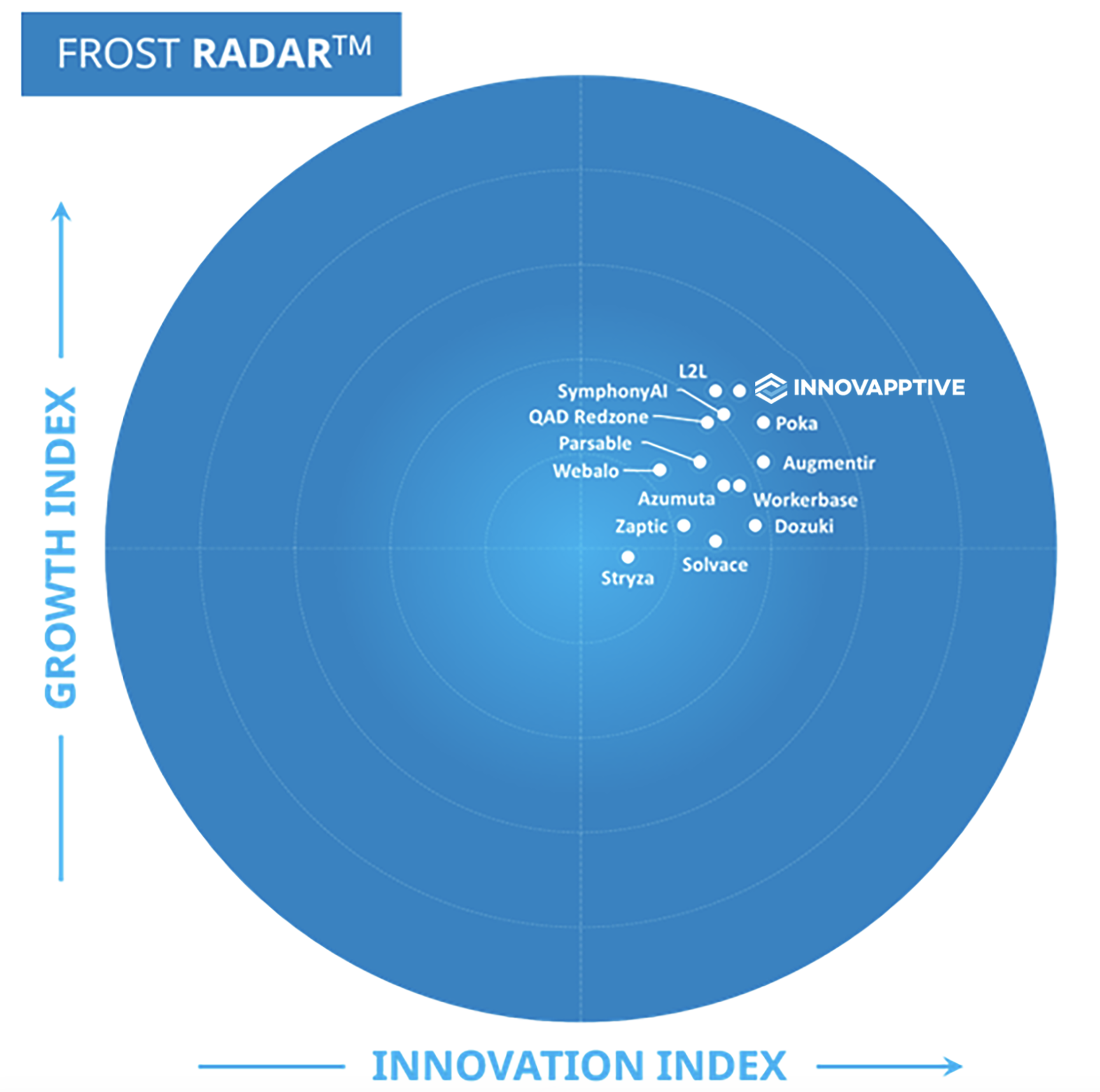
Frost & Sullivan named Innovapptive 2026 Company of the Year and a Leader in its Frost Radar™ for Augmented Connected Worker, End-to-End Platforms, based on platform breadth, AI execution capability, and measurable customer impact.
Frost & Sullivan Best Practices
2026 Company of the Year, Global Connected Worker Platforms
Frost & Sullivan recognized Innovapptive for closing the frontline execution gap with its end-to-end connected worker platform.
“Innovapptive has taken an innovative approach to AI, developing one of the most extensive AI agent portfolios available. These agents assist manufacturers with their maintenance, operations, reliability, safety, and analytics needs.”
Juan Francisco Dell'Era · Senior Research Analyst, Industrial Automation & Software, Frost & Sullivan
Resources
Must-Have Resources for Maintenance, Reliability and EHS Leaders
Featured Whitepaper
The Future of Maintenance: An Effective AI Blueprint
How connected maintenance data, AI-driven planning and intelligent workflows move an asset intensive operation from reactive repair to predictive execution, with the business case required to fund the program.
Frequently Asked Questions About Digital Checklist Software
What is digital checklist software?
Digital checklist software replaces paper forms and spreadsheets with structured, mobile checklists for inspections, routine maintenance and safety compliance. In asset-heavy plants it connects to the ERP maintenance module rather than replacing it. The value comes from turning a completed check into tracked work, not a filed form.
What is the difference between a digital checklist app and a standalone forms tool?
A standalone forms tool captures a completed form and stops there. A connected digital checklist app raises a work order when a check fails, attaches the evidence, and posts the result back to SAP or IBM Maximo. In heavy industry the connection to maintenance execution is the point.
How do digital checklist systems for routine inspections work?
Routine inspections are scheduled by calendar, equipment status, meter reading or a real-time alarm. The check runs on mobile at the asset, online or offline, and the result syncs to the system of record. A failed reading raises a corrective work order automatically.
Can technicians use digital checklists offline?
Yes. Technicians complete checklists with no connectivity on iOS, Android, Windows and rugged handhelds, capturing photos, readings and signatures. Results reconcile with the ERP in under five minutes through RapidSync once signal returns.
Does the digital checklist software integrate with SAP and IBM Maximo?
Yes. Checklists run on the SAP Plant Maintenance and IBM Maximo data model, including equipment, functional locations and work orders. Results and the work they generate post back automatically, so checklist data is current in the system of record.
Is there digital inspection checklist software for US manufacturing?
Yes. Innovapptive digital inspection checklist software is used across US manufacturing and process plants for preventive checks, quality inspections and safety compliance. It standardizes every check, enforces required evidence, and raises work orders the moment a check fails.
What is a maintenance planning checklist and can I build one?
A maintenance planning checklist standardizes the steps a planner or technician follows to prepare and execute a job: scope, parts, permits, isolations and safety checks. You build one in AI Author, add conditional logic, and attach it to the work order so the steps travel with the job.
Is there a mobile plant inspection checklist for asset-heavy sites?
Yes. Innovapptive provides a mobile plant inspection checklist for fixed and distributed assets, with full offline capture for areas the network does not reach. Readings, photos and failed checks post back to the ERP rather than staying on a form.
What does AI do in digital checklist software?
AI Author builds checklists from paper, PDF and Excel in minutes. During execution, AI reviews responses, flags out-of-range readings and anomalies, identifies the equipment involved, and raises a structured work order. Innovapptive operates 15 AI agents across six frontline domains.
How do digital checklists improve safety and compliance?
Safety compliance checklists run the same way on every shift, with mandatory evidence and audit-ready records built as the work happens. Hazards are caught and logged before they escalate, which lifts proactive EHS participation across the plant.
How long does it take to deploy digital checklist software?
First-site deployments run in weeks, not quarters, because the software connects to the landscape already in place and configures through no-code RACE. No ERP replacement, upgrade or data migration is required, and new checklists do not need a code release.
What should I look for in digital checklist software for industrial maintenance?
Look for offline capture, AI authoring, condition-based scheduling, automatic work-order creation from failed checks, and native ERP integration rather than file export. Industrial checklists also have to handle functional locations, work centers and multi-technician operations.
Get Started
Ready to Connect Your Inspections to Maintenance Action?
See how manufacturing, chemicals, mining and oil and gas operators use Innovapptive digital checklists to capture an inspection on mobile, flag the problem with AI, raise the work order, and post it back to the ERP they already run.