
SAP HCI is designed as Integration Platform-as-a-Service (PAAS) which helps to integrate multiple independent systems/applications for a business process. HCI can do Cloud to Cloud, Cloud to On-premise, On-premise to On-premise and Hybrid model.
To do any of the above integration HCI offers Adapters (Connectivity options) such as:
- SOAP Adapter
- IDoc
- HTTP
- SFTP
- Successfactors
- Ariba
- oData
Note: Some of the adapters are for one-way communication and Cloud Connector is used for on premise integration's.
In simple we can also call it as PI/PO on Cloud. Lets start to with HCI:
Setting up the pre-requisites:
1. Ensure HCI Service is Active
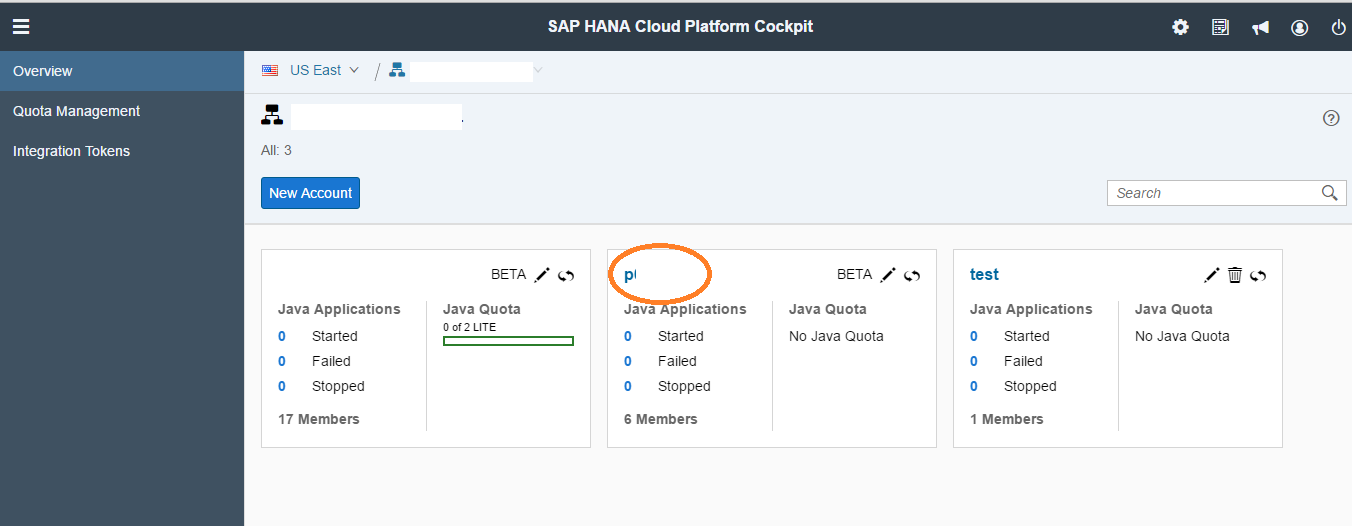
Login HCP Account, Go to the Tenant where you have your HCP Integration Services enabled. Reach out to SAP to check this if required. In my case I have a separate tenant for HCI marked as below:
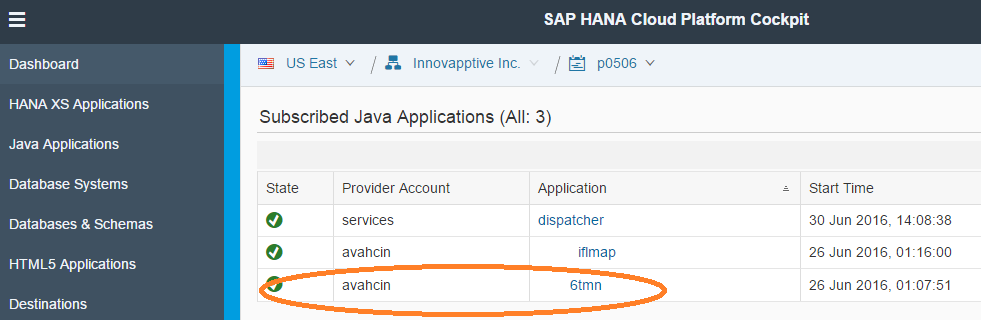
2. Go to Subscriptions and look for the Application ending with “____tmn” ensure that is active as below and click on it.
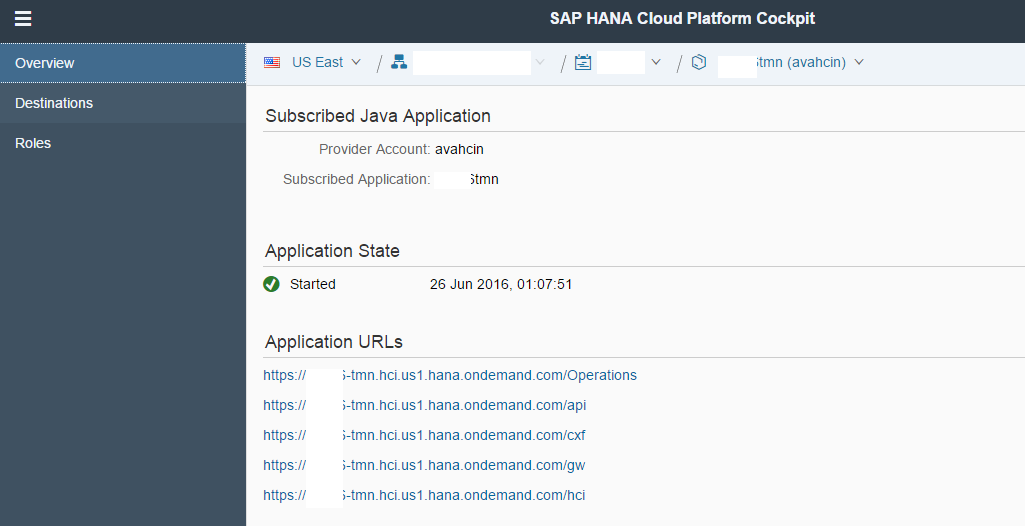
 3. Once you click on it, you should be able to see the screen below:
 Roles are very important to perform any development activities (mainly you would need B and C):
a. AuthGroup.BusinessExpert
b. AuthGroup.Administrator
c. AuthGroup.IntegrationDeveloper
d. AuthGroup.SystemDeveloper
Note: HANA Cloud Integrations is also addressed as HCP Integration Services
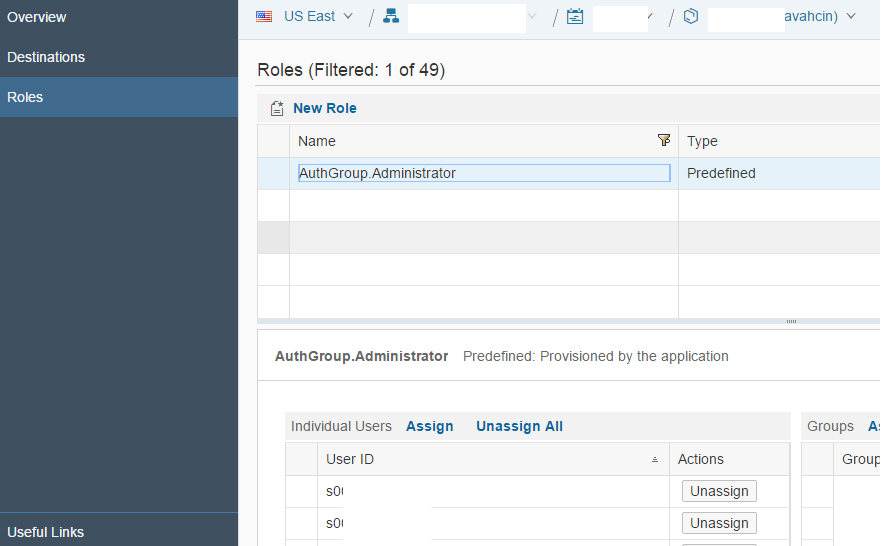
4. Click on Roles as you see in the above screen, on New Role, look for the Administrator and IntegrationDeveloper Role and assign it to your user as shown below:
 Do the same for other Roles as required.
5. Click URLs:
a. Web URL: You can access the Integration Content Catalog via the customer’s tenant at http:// :/itspaces
Eg: https://pXXXX-tmn.hci.us1.hana.ondemand.com/itspaces
b. Management URL: Access via Eclipse HCI plugin
Eg: https://pXXXX-tmn.hci.us1.hana.ondemand.com/
c. Run-time URL: Web-service url to be configured in backed systems
Eg: https://pXXXX-iflmap.hcisbp.us1.hana.ondemand.com
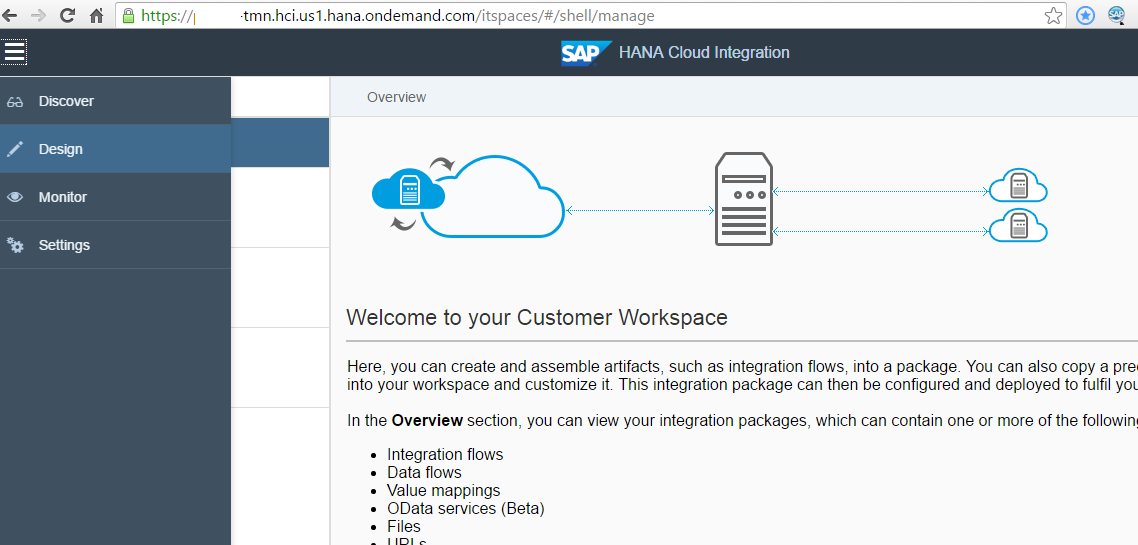
Now if you open the Web URL, your developer should be able to see the options for Discover, Design, Monitor, Settings as shown below:
 6. To do SOAP to oData conversion you may follow the Blog posted on SCN:
Note: If you are not able to see oData Adaptor on your HCI account, raise an OSS Ticket and SAP shall get it activated.
Want to learn more about our Connected Worker Platform? Request a demo today!

Unlock Margins Hidden in your Maintenance
Watch how leading manufacturers improve OEE, increase PM compliance, and reduce downtime through connected execution.

- 21-10-2026
10 Best Work Instructions Software: Compared and Reviewed
Choosing work instructions software is about more than turning a PDF into guided steps on a tablet....

- 15-10-2026
Maintenance Digitalization: A Digital Transformation Guide
Maintenance digitalization is the shift from paper, spreadsheets and disconnected tools to...

- 12-10-2026
Manufacturing Skills Gap: What It Costs and How to Close It
A plant can have every role filled and still experience a manufacturing skills gap. Very often,...